ClarityOS
SaaS Onboarding Project
(Built in Hubspot)
T
A 5-Part onboarding workflow for a mock SaaS tool to move free trial users to paid. Demonstrates lifecycle strategy, conversion-focused copy, and workflow automation.
T
Goal: Show how behavior-based emails and simple UX can turn free trial users into paying subscribers.
T
Tools Used: HubSpot, Canva (Visual Assets)
T
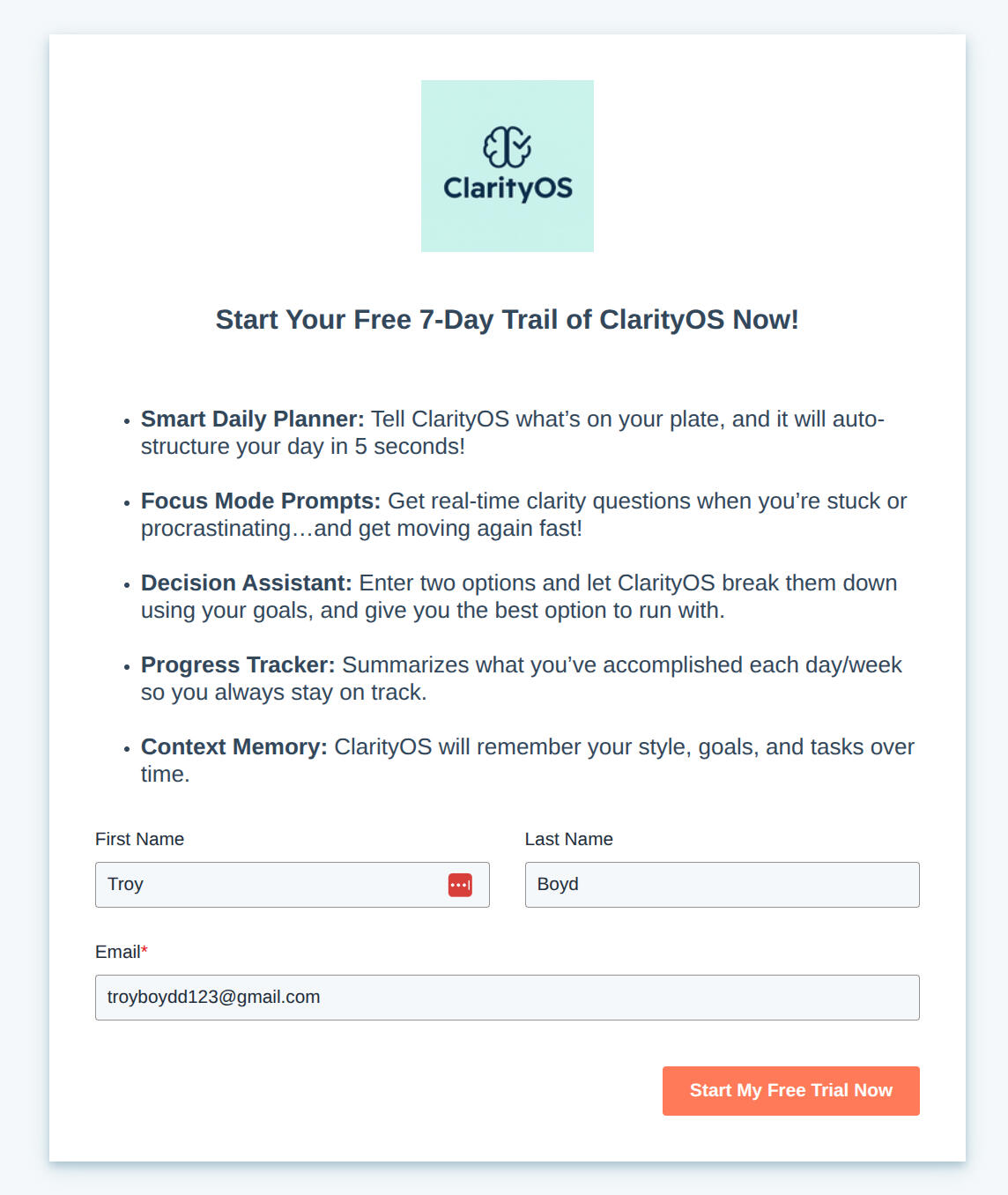
ClarityOS Landing Page
T
Description: This simple lead capture page introduces ClarityOS and offers a 7-day free trial. The copy is clean, bullet-based, and action-first — highlighting 5 core tools:
T
✔️ Smart Daily Planner✔️ Focus Mode Prompts✔️ Decision Assistant✔️ Progress Tracker✔️ Context Memory
Design emphasizes speed and ease (“auto-structure your day in 5 seconds”) and includes a bright orange CTA for conversion. This page is built for quick opt-in — low friction, high clarity.
T
T
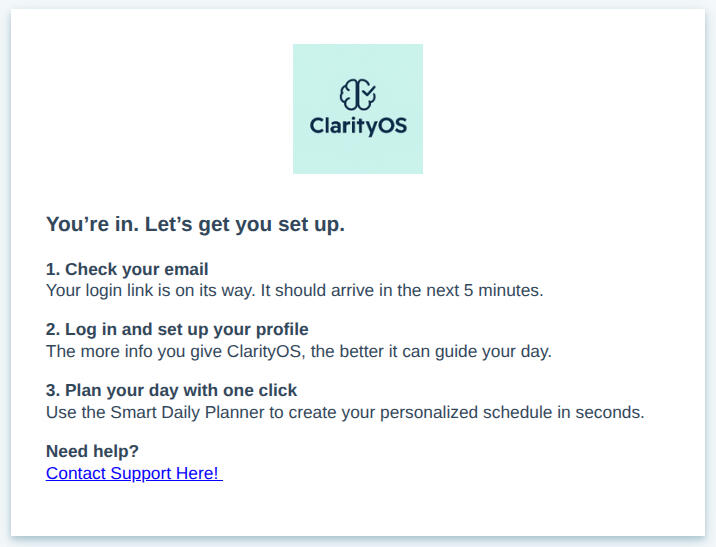
ClarityOS Thank You Page
T
Description: Once a user opts in, this confirmation screen sets clear next steps. It uses a numbered checklist:
T
✔️ Check your email✔️ Log in and set up your profile✔️ Start using the Smart Daily Planner
T
Tone is instructional but friendly. The CTA to “Contact Support” keeps it user-first. This reinforces the idea that ClarityOS is proactive, helpful, and friction-free from the start.Great example of simple UX = better retention.
T
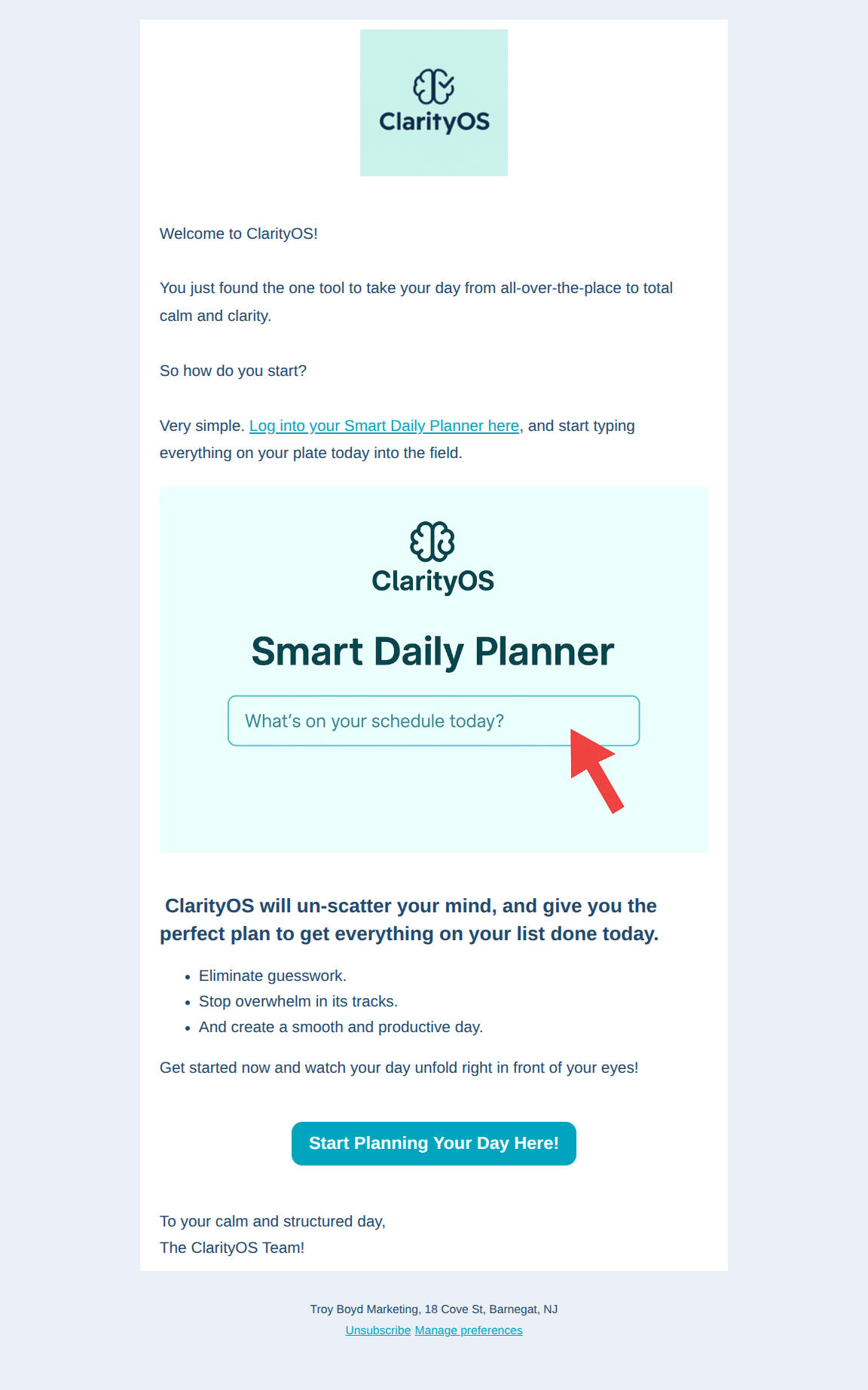
Email #1: Smart Daily Planner Kickoff
T
Subject Line: Welcome to ClarityOS (you’re 5 minutes from a calm day)
Preview Text: “Let the Smart Daily Planner organize a calm day for you with just a few clicks.”
T
✔️ Introduces core feature: the Smart Daily Planner✔️ Sets expectations with a clean, no-fluff welcome✔️ Prompts immediate interaction with “What’s on your schedule today?”✔️ Singular CTA to drive quick momentum✔️ Includes product mockup to visualize value instantly
T
T
T
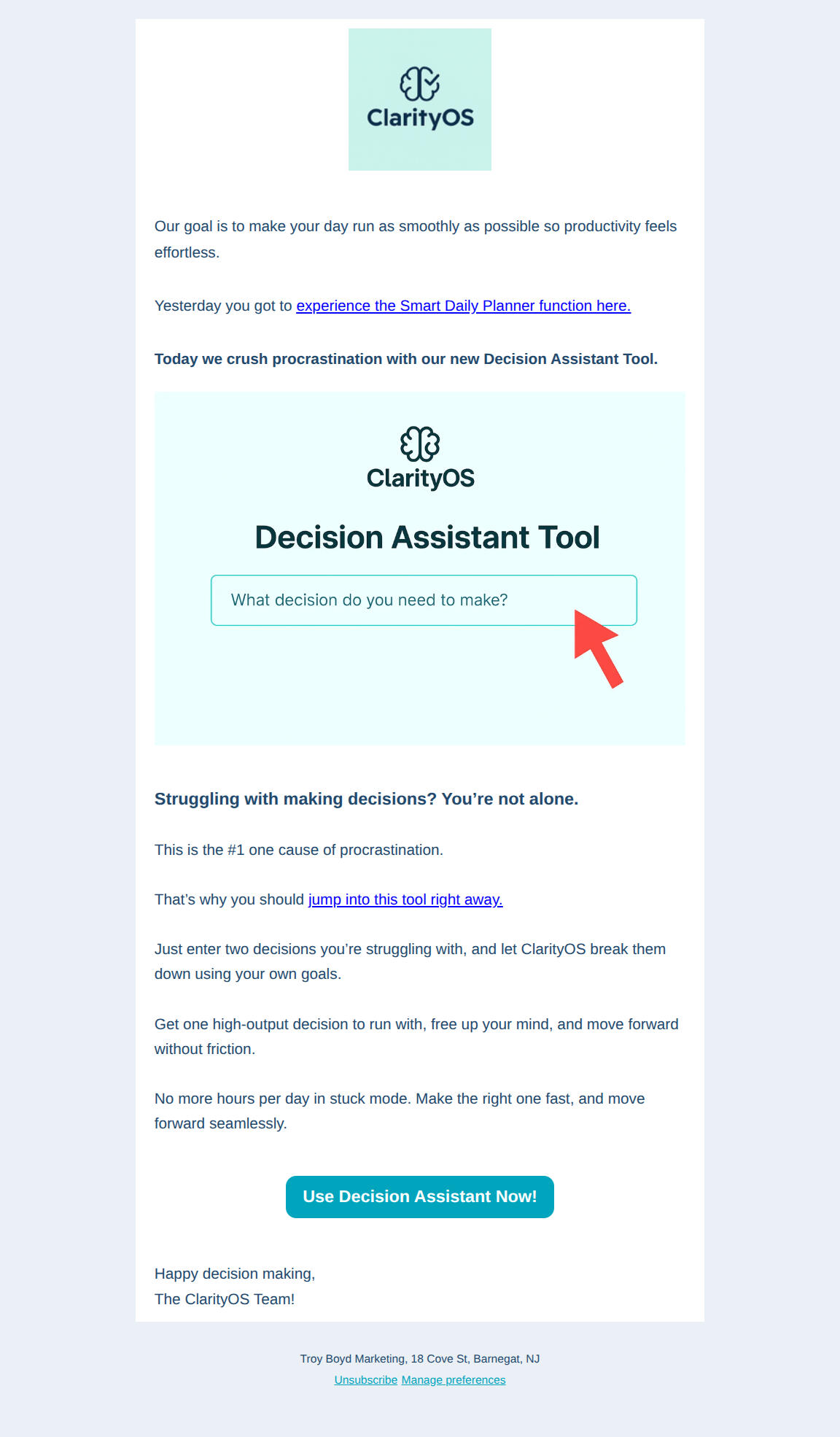
Email #2: Decision Assistant Tool
T
Subject Line: The procrastination killer (new ClarityOS tool)
T
Preview Text: “This will eliminate the #1 cause of procrastination in seconds”
T
✔️ Tackles decision fatigue with a simple two-option framework✔️ Framed around speed, momentum, and clarity✔️ Includes input prompts to boost interactivity✔️ Reinforces how ClarityOS removes friction from daily decisions
T
T
T
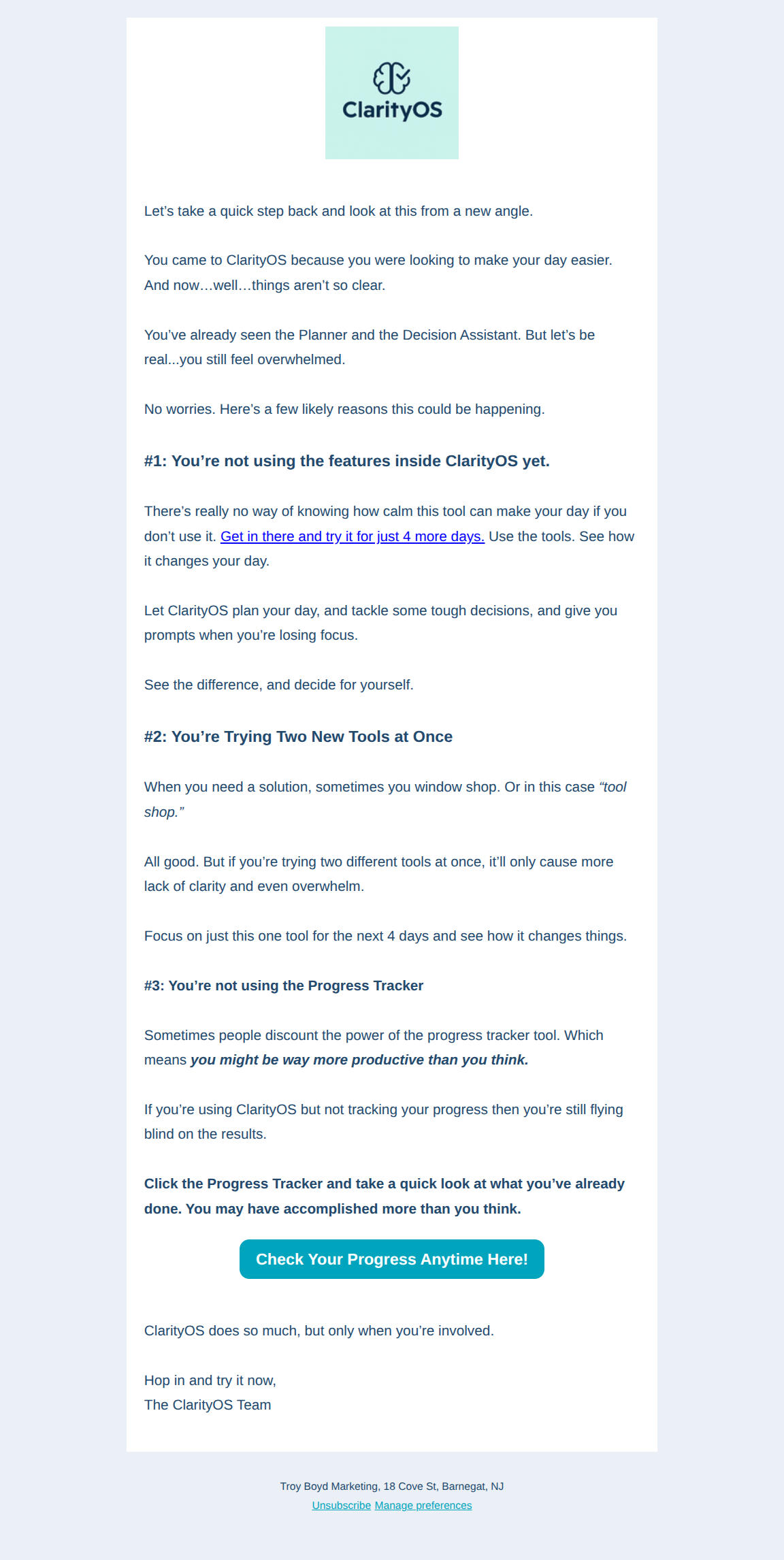
Email #3: Objection Handling / Re-engagement Logic
T
Subject Line: ClarityOS not so clear yet? Do this...
Preview Text: “Here’s a few likely reasons you might not be as clear as you were hoping for now...”
T
✔️ Addresses common friction: overwhelm, tool overload, underuse✔️ Structured as bold headlines with short, diagnostic explanations✔️ Conversational but pointed tone balances value with urgency✔️ Internal CTAs (“Try it for 4 more days”) push action without pressure✔️ Feels more like coaching than sales
T
T
T
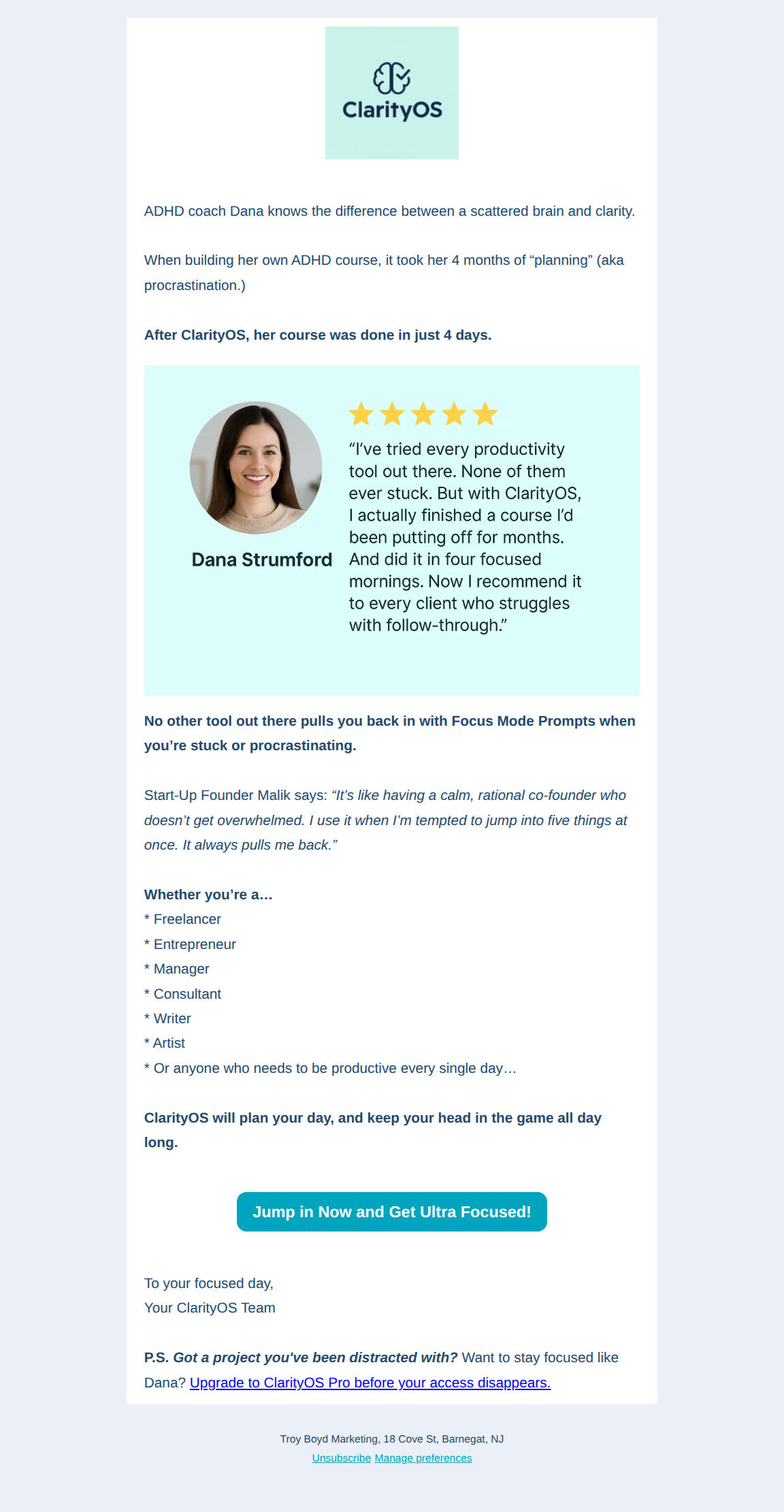
Email #4: Final Nudge + Social Proof (Charles)
T
Subject Line: How Dana finished her course in 4 days with ClarityOS
T
Preview Text: “Her ADHD was keeping her distracted for 4 months. With ClarityOS she got it done in days!”
T
✔️ Classic “about to lose access” email framed with clarity, not hype✔️ Opens with testimonial(“Charles”) in tweet-style format for trust✔️ Progress Tracker stats (“87% complete”) create momentum✔️ Green checklist highlights feature value clearly✔️ Urgency reinforced: “Trial ends at midnight” + benefit-driven CTA
T
T
T
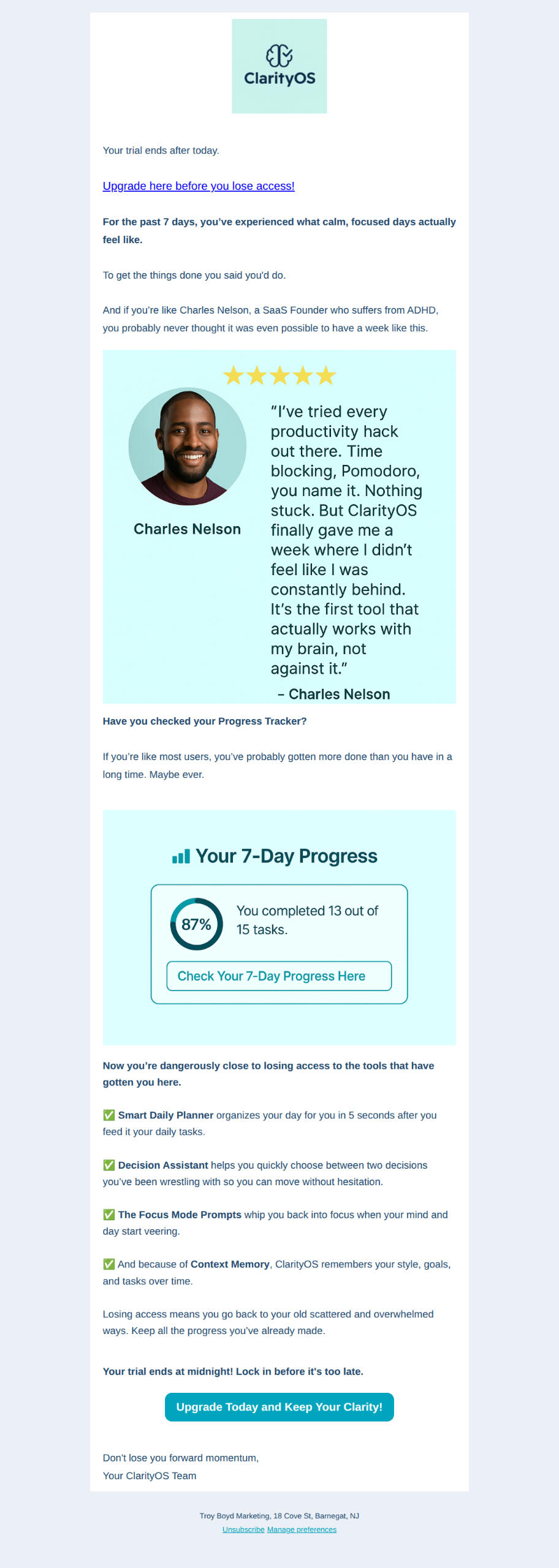
Email #5: Focus Mode Testimonial (Dana)
T
Subject Line: Don’t lose your clarity! (Upgrade to Pro Today!)
T
Preview Text: “Her ADHD was keeping her distracted for 4 months. With ClarityOS she got it done in days!”
T
✔️ Shares story of Dana overcoming ADHD-related procrastination✔️ Anchors testimonial around “Focus Mode Prompts” feature✔️ Frames ClarityOS as a daily partner, not just another tool✔️ Emotion + benefit-driven copy builds identity alignment
T
T
T
Welcome Flow Summary
T
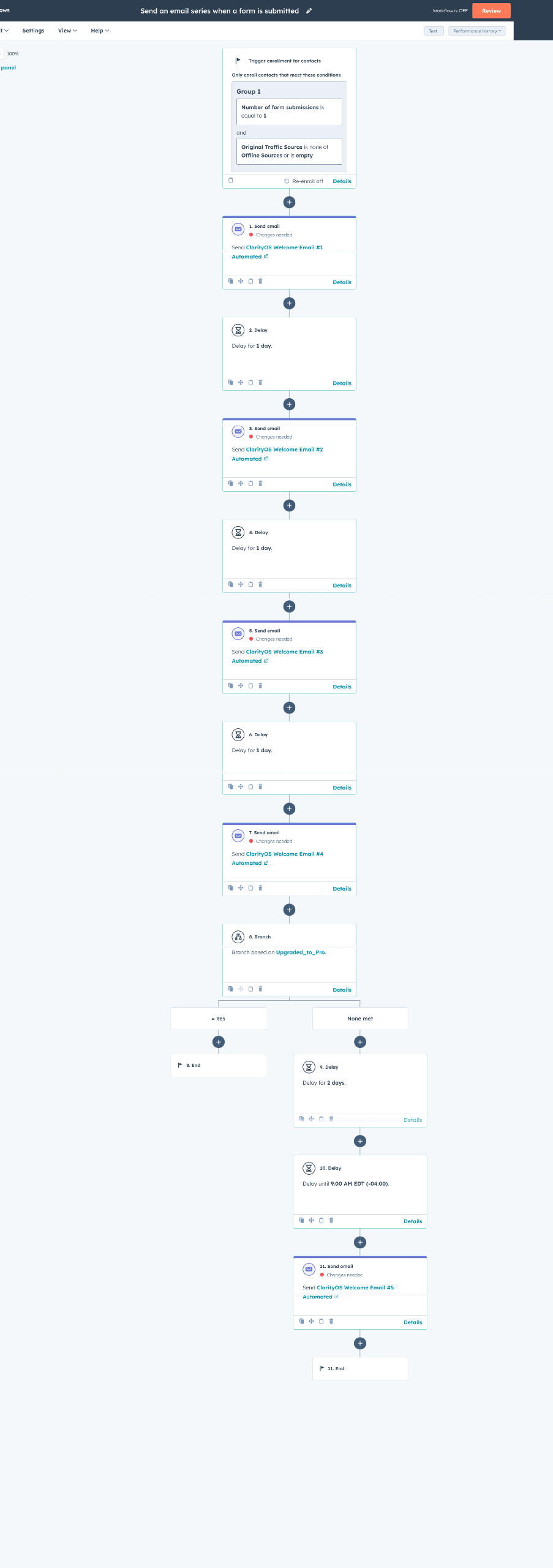
Triggered When: A new user signs up for the ClarityOS 7-day trial.
T
Each email is timed with 1-day delays and suppression logic ensures upgrade prompts stop once the user converts.
T
✔️ Email 1: Welcome + Smart Daily Planner (core feature intro)✔️ Email 2: Decision Assistant Tool (break procrastination, gain momentum)✔️ Email 3: Objection Handling (overwhelm, tool overload, feature underused✔️ Email 4: Trial Ending Nudge + Testimonial (Charles, Progress Tracker)✔️ Email 5: Testimonial Story (Dana, Focus Mode Prompts, identity-driven pitch)
T